
Connecting WhatsApp Business API to a CRM on GCP
How we wire Meta webhooks, a shared inbox, and a lead pipeline on Cloud Run — without a separate deploy per client.
Why WhatsApp needs a backend, not just a phone
When a business outgrows a single WhatsApp number, conversations scatter across devices. The Business API centralises messaging, but you still need routing, lead capture, and agent workflows.
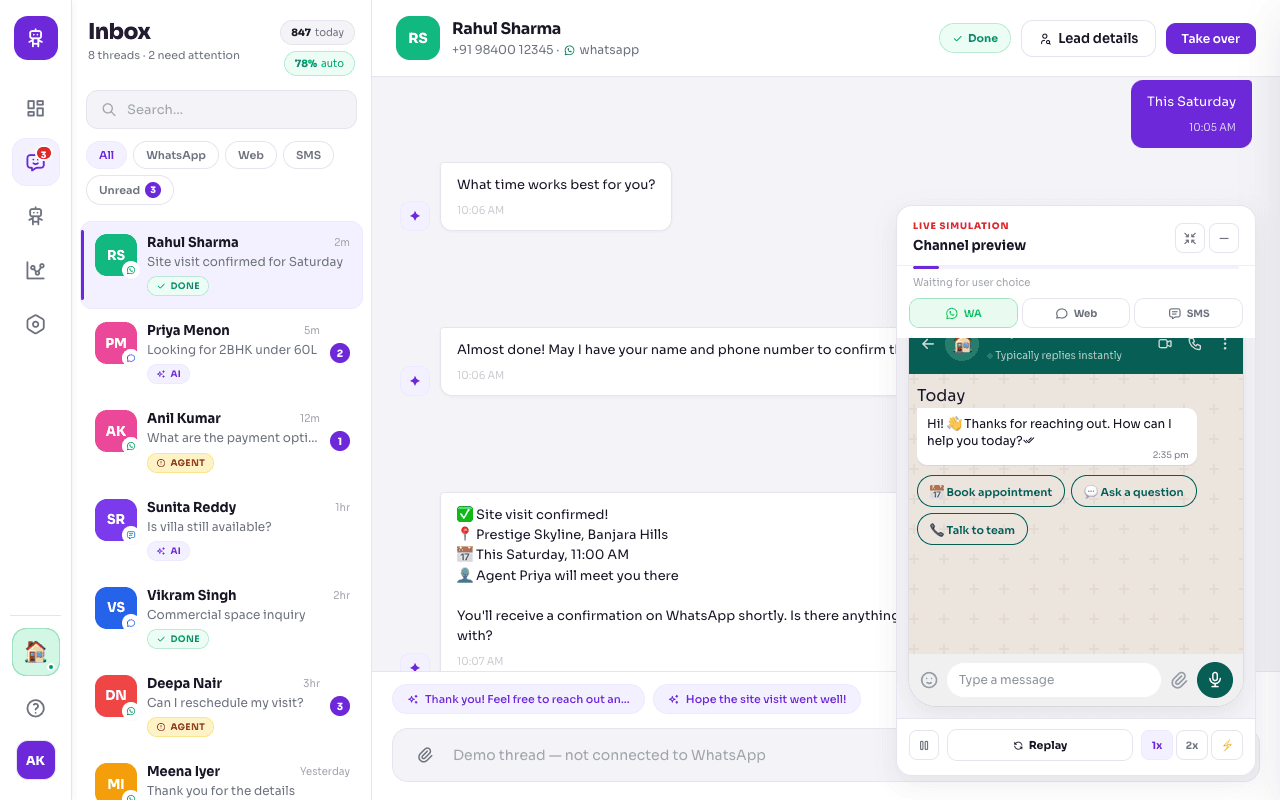
We typically route Meta webhooks to one API layer, land conversations in a shared inbox, and sync enquiries to a CRM pipeline — all behind tenant-scoped authentication.
Architecture on GCP
Cloud Run hosts the API, inbox, CRM, and platform dashboard. A global HTTPS load balancer routes app.kaana.in, inbox.kaana.in, crm.kaana.in, and api.kaana.in to the right service.
WhatsApp tokens and JWT secrets live in Secret Manager — never in source control. Webhook verification uses a dedicated verify token per environment.
What to plan before go-live
Meta Business verification and phone number ID setup often dominate timelines more than code. Budget time for template approvals if you send outbound notifications.
Start with inbound message handling and lead creation; add agent takeover and CRM stages once the webhook loop is stable in production.
FAQ
Meta or Twilio for WhatsApp?
We default to Meta Cloud API for direct integration. Twilio remains supported where clients already have Twilio contracts.
Can agents reply from a web inbox?
Yes. A web inbox with agent takeover and live WhatsApp send via the API is the usual pattern, with optional demo threads for sales environments.
Related
Service: WhatsApp Business Automation
Case study: Multi-Tenant Business Automation Suite